Why this prompt works
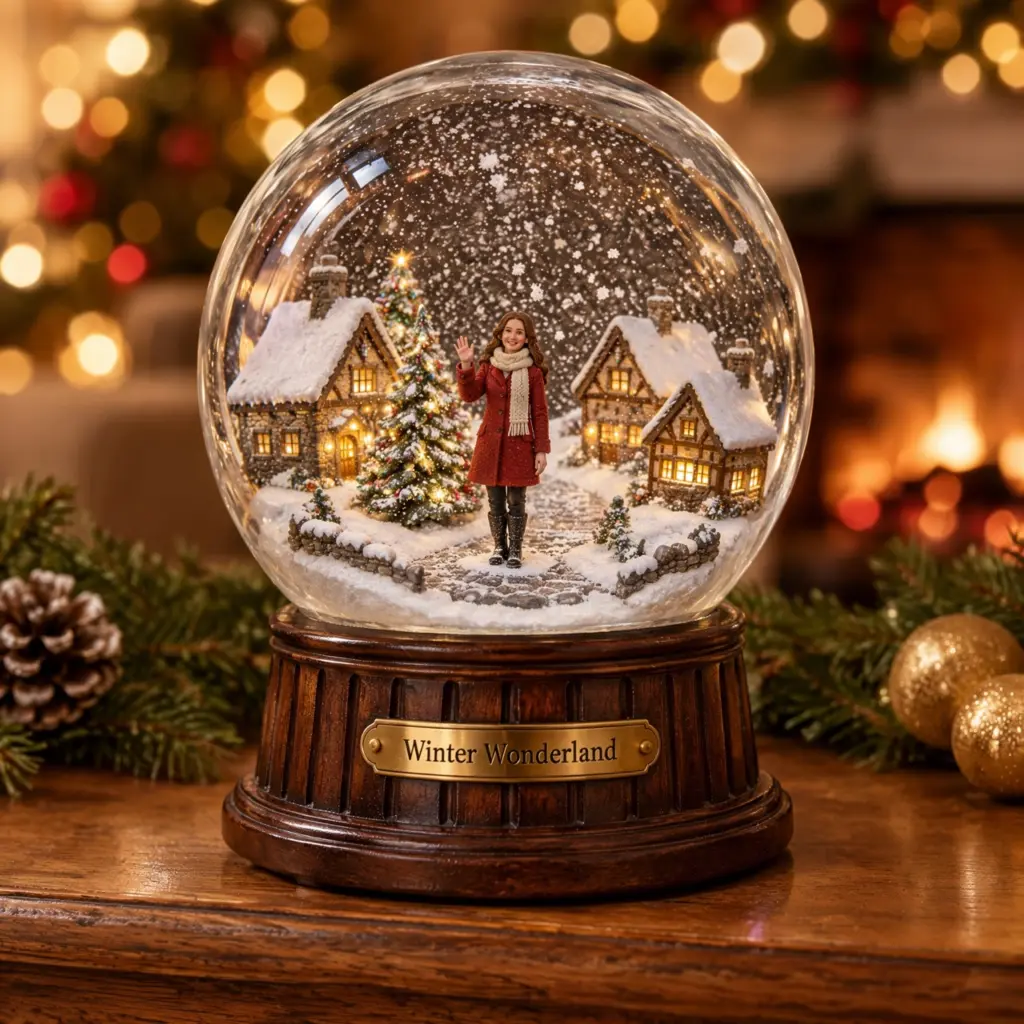
This Christmas snow globe photo prompt follows the miniature trend but gives it a festive setting. Describing a tiny village, a lit tree and swirling flakes inside keeps the globe full without hiding the figure.
Asking for macro product photography, curved glass distortion and reflections makes the tool treat it as a real object on a mantel, not a flat illustration.
How to use this prompt
- Tap "Copy prompt".
- Open Gemini or ChatGPT.
- Upload one clear, front-facing photo in good light.
- Paste the prompt and send.
- If the face or details change, run it once more and keep the best result.
Variations to try
Couple inside the globe
Keep all faces exactly the same as the uploaded photo. A realistic glass snow globe on a windowsill holds tiny miniatures of the couple from the photo, ice skating hand in hand on a frozen pond, lit pine trees around them, snow swirling, warm window light, macro photography, aspect ratio 1:1.
Add "newtrendingprompt.com" as a small, subtle watermark in the bottom-left corner.
Add "newtrendingprompt.com" as a small, subtle watermark in the bottom-left corner.
- Aspect ratio
- 1:1
- Your photo
- Upload one
- Copies
- Be the first
Held in hands
Keep the face exactly the same as the uploaded photo: same eyes, nose, lips, jawline, skin tone and expression. Two hands in red mittens hold a glass snow globe up to the camera; inside, a tiny miniature of the person from the photo sits on a snowy bench under a streetlamp. Christmas tree bokeh behind, soft warm light, shallow depth of field, aspect ratio 1:1.
Add "newtrendingprompt.com" as a small, subtle watermark in the bottom-left corner.
Add "newtrendingprompt.com" as a small, subtle watermark in the bottom-left corner.
- Aspect ratio
- 1:1
- Your photo
- Upload one
- Copies
- Be the first
Make it your own
- Put your city inside the globe, for example India Gate or a snowy Shimla mall road.
- Change the base plate text to your name; check the spelling afterwards.
- Add a pet beside the miniature figure.
Common problems and fixes
- The face is too small to recognise. Add: the miniature fills about half the height of the globe, face clearly visible.
- The globe looks like a cartoon. Keep macro product photography and add: real glass, real wood, photographic.
FAQ
Can it say Merry Christmas on the base?
You can ask for it, but check the spelling. If it is wrong, add the text later in an editor.
Does it work with a full-body photo?
Yes. A full-body photo helps the tool copy your proportions; the face line keeps your features.